Search
SmartSearch looks for words across dotPulse: projects, tasks, contacts, files and more, all at once.
Search from any page
- Click the Search box in the top bar.
- Type a word.
- Press Enter.
dotPulse opens the SmartSearch page with the results.
You can also open SmartSearch from the modules menu, if your administrator has put it there, and search from the box at the top of that page.
Read the results
Results are grouped by kind of item, such as Projects, Tasks or Contacts, with the number of matches in brackets. Each result shows the first fields of the item, with the words you searched for highlighted. Click a result to open it. The last line gives the Total records found.
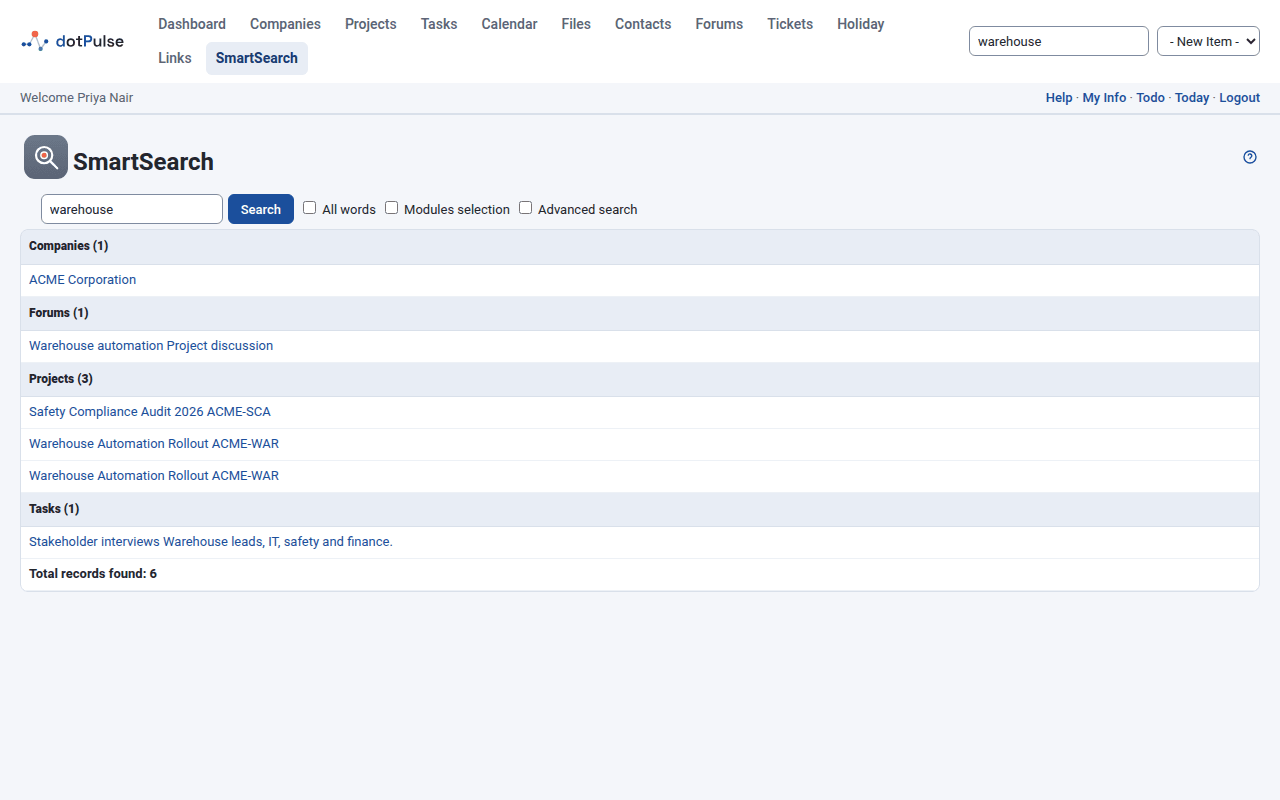
Results follow your permissions: you only get items from the modules and records you may view. Private events of other people are left out.
What is searched
| Group | What dotPulse looks in |
|---|---|
| Companies | Name, address, website, email and description. |
| Contacts | Name, title, company, type, email addresses, address and notes. |
| Departments | Name, address, website and description. |
| Events | Title, description, and start and end dates. |
| Files | File name, description and type. |
| Files Content | The words inside uploaded files that dotPulse has indexed. A result opens the file. |
| Forums | Forum name and description. |
| Forum messages | Message title and text. |
| Projects | Name, short name, description, web addresses, and the names and details of the project's contacts. |
| Task logs | Summary and description of the work logged. |
| Tasks | Name, description, web address and custom fields. |
| Tickets | Author, recipient, subject, body and other ticket details. |
| Users | Login name and signature. |
You only see the groups for modules you can open, so your list may be shorter.
Search for several words
Type several words separated by spaces, commas or semicolons.
- By default, a result matches if it contains any of the words.
- Tick All words to get only results that contain every word.
Words match anywhere in a field, including inside longer words: searching for
plan also finds "planning" and "airplane".
Tip
Search for plain letters and numbers. Characters such as . * ( and ?
have a special meaning in the search and can give unexpected results.
Search only some modules
- Tick Modules selection. A list of the groups appears.
- Tick the groups you want, or use Select all and Deselect all.
- Click Search.
Advanced search
Tick Advanced search to get more options:
- Four search boxes (1 to 4). Each box's words are highlighted in a different colour in the results, so you can tell which word matched.
- Ignore case: ticked by default, so
Reportalso finds "report". Untick it to match capitals exactly. - Display all fields: show every field of each result instead of the first two.
